ClickAI
Aligning AI Innovation with Human Communication
Designing an AI-powered language learning and translation experience that helps users communicate naturally, understand context, and build confidence across languages.
ClickAI
Designing an AI-powered language learning and translation experience that helps users communicate naturally, understand context, and build confidence across languages.
THE PROBLEM
BACKGROUND
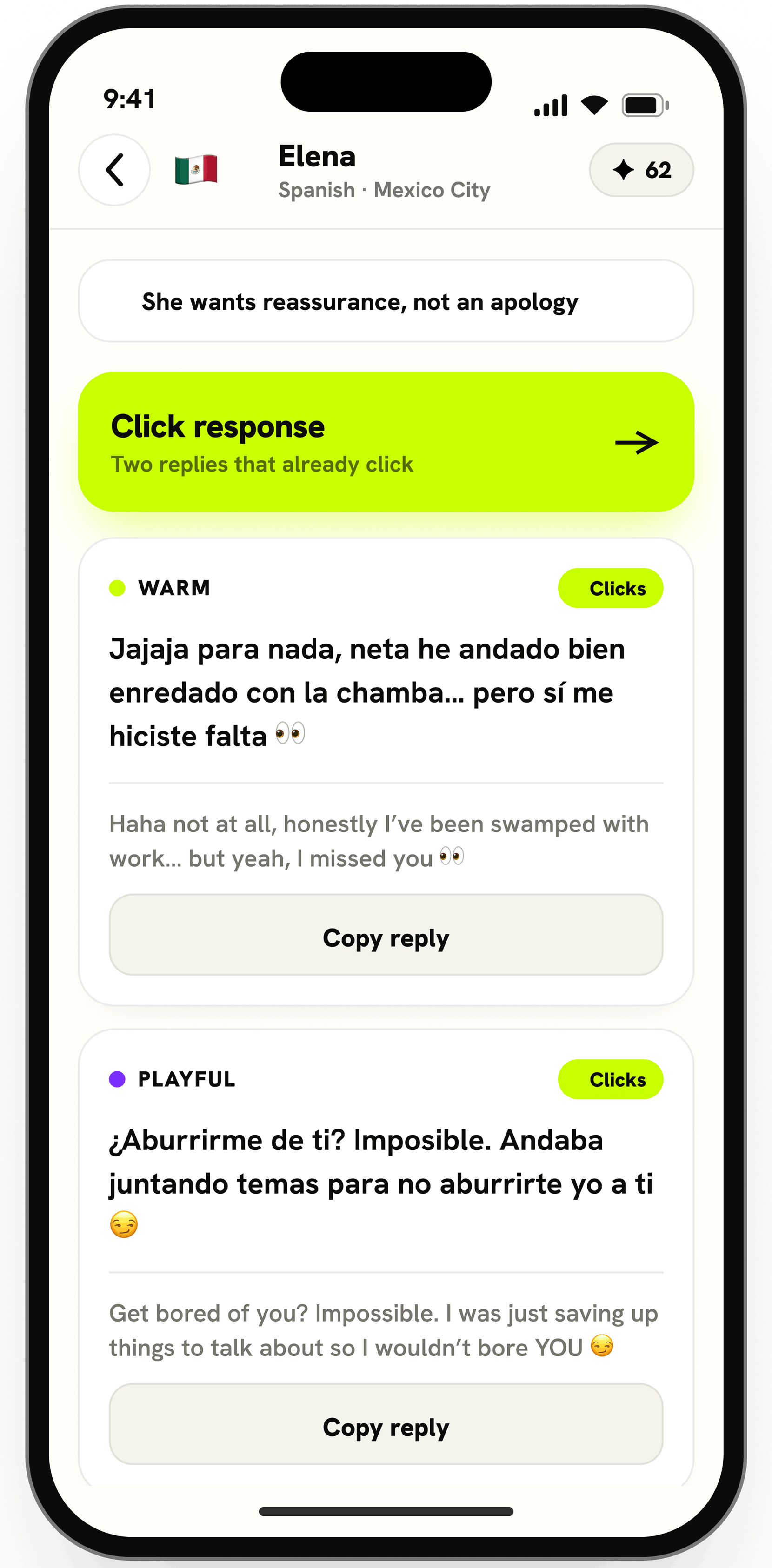
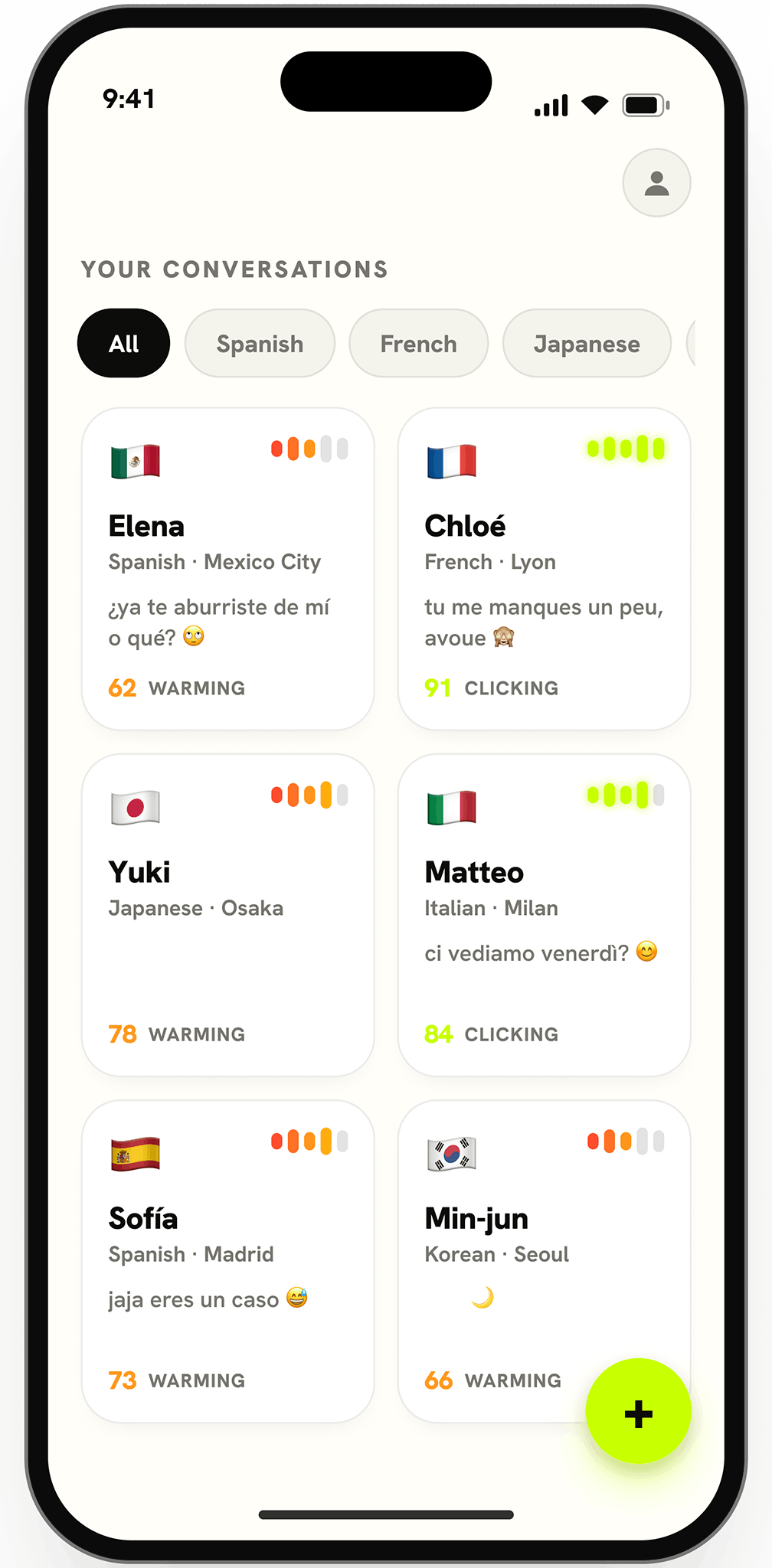
When I began designing Click AI, my goal was to create an AI-powered language learning and translation experience that went beyond literal translations. I wanted to help users communicate with confidence by providing contextual understanding, natural AI-generated replies, and real-time writing assistance—making cross-language conversations feel more natural, intuitive, and meaningful.
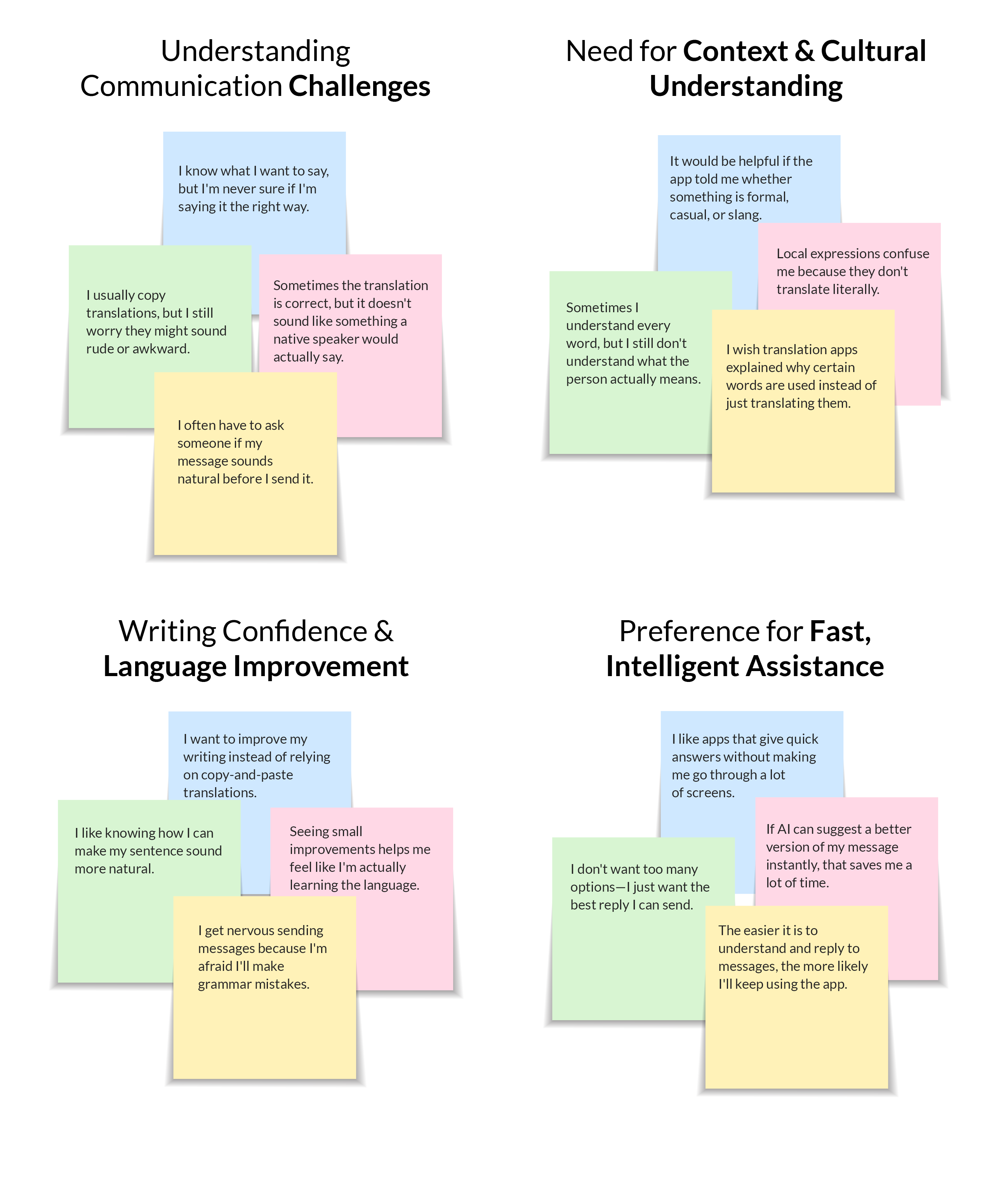
User Feedback
This insight, echoed by many participants, led me to design an AI-powered communication experience that goes beyond direct translation. By introducing contextual explanations, intelligent reply suggestions, and real-time writing feedback, the solution helps users communicate more naturally and confidently across languages.
THE RESEARCH
I began by reviewing the stakeholder requirements and product vision to understand users' communication challenges. Research showed that users wanted more than accurate translations—they wanted confidence that their messages sounded natural and culturally appropriate.
After analyzing existing AI translation tools, I identified opportunities to improve contextual understanding, AI-assisted replies, and writing confidence. These insights shaped Click AI into an experience focused on helping users communicate naturally, not just translate words.
I interviewed users to understand the challenges they face with translation apps and multilingual communication. The insights highlighted the need for contextual translations, natural AI replies, and writing assistance that builds confidence.
I analyzed the strengths and weaknesses of key competitors to inform design opportunities:



DEFINE
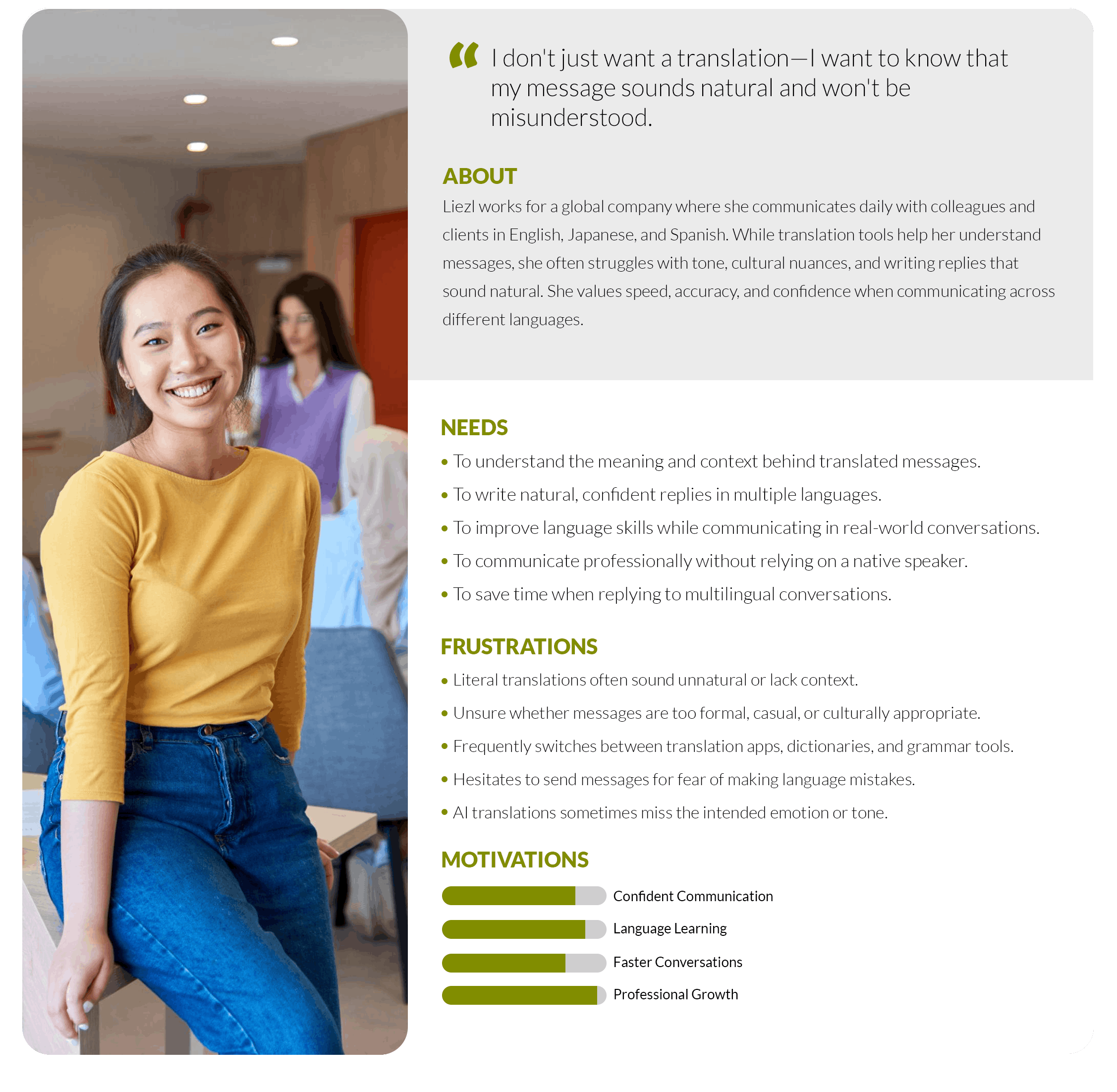
Research revealed that users wanted more than accurate translations—they wanted confidence that their messages sounded natural and culturally appropriate. By designing an AI-powered experience focused on context, writing assistance, and intelligent replies, Click AI helps users communicate with greater confidence. To bring these insights to life, I developed a user persona to guide my design decisions.
Liezl is an international professional who communicates in multiple languages. She wants an AI assistant that helps her understand messages, write natural replies, and communicate with confidence.
HOW MIGHT WE…
IDEATION
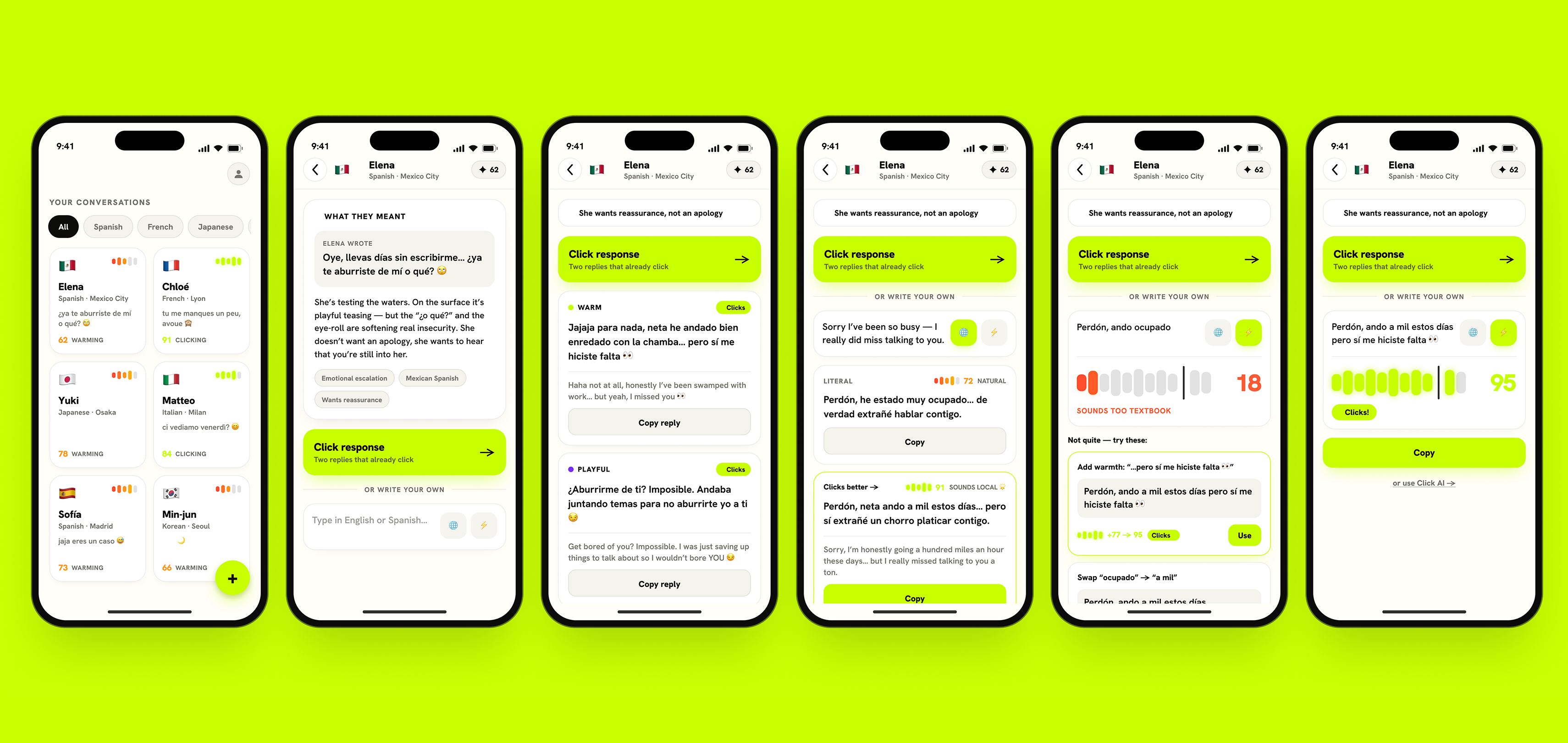
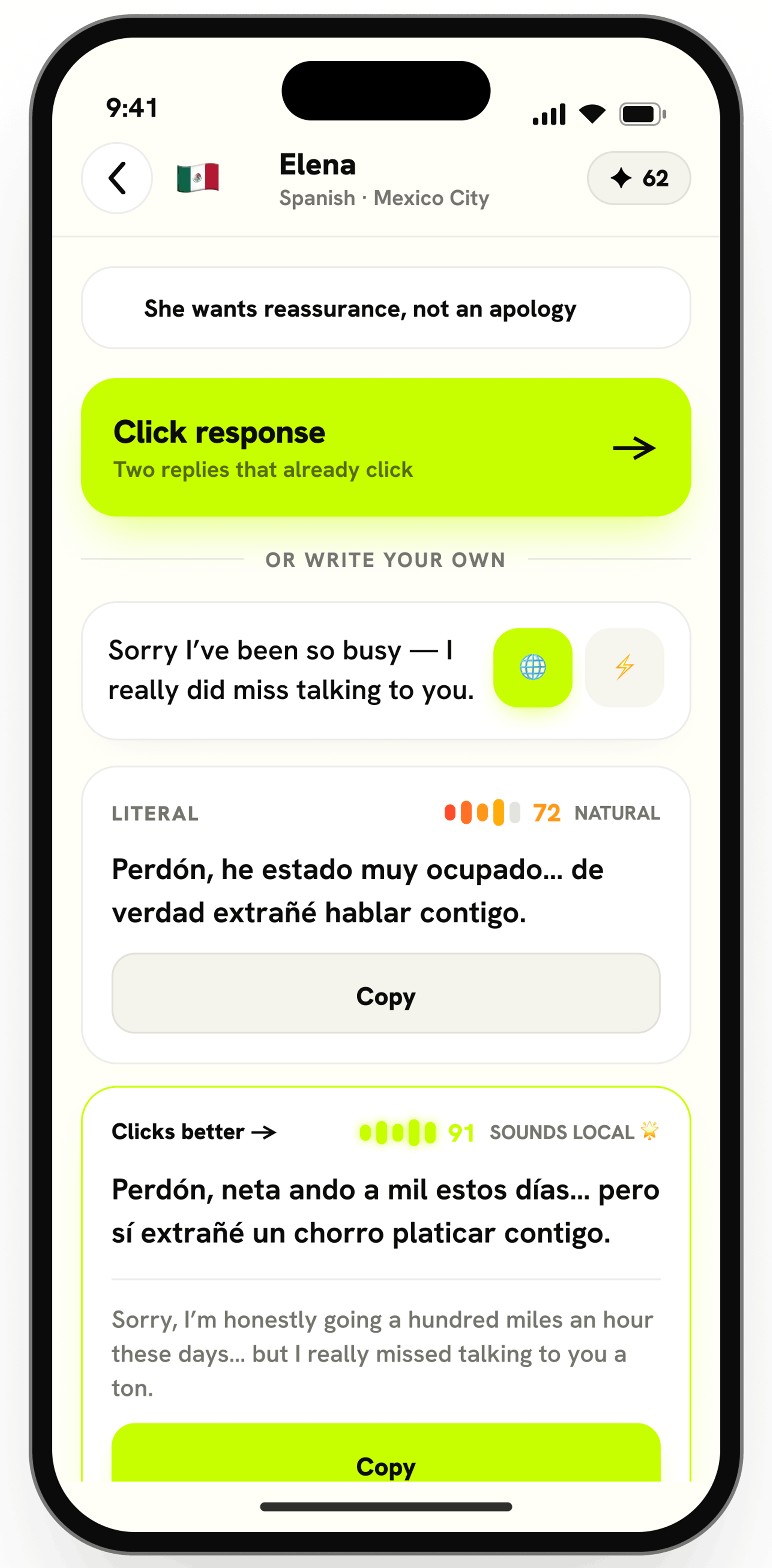
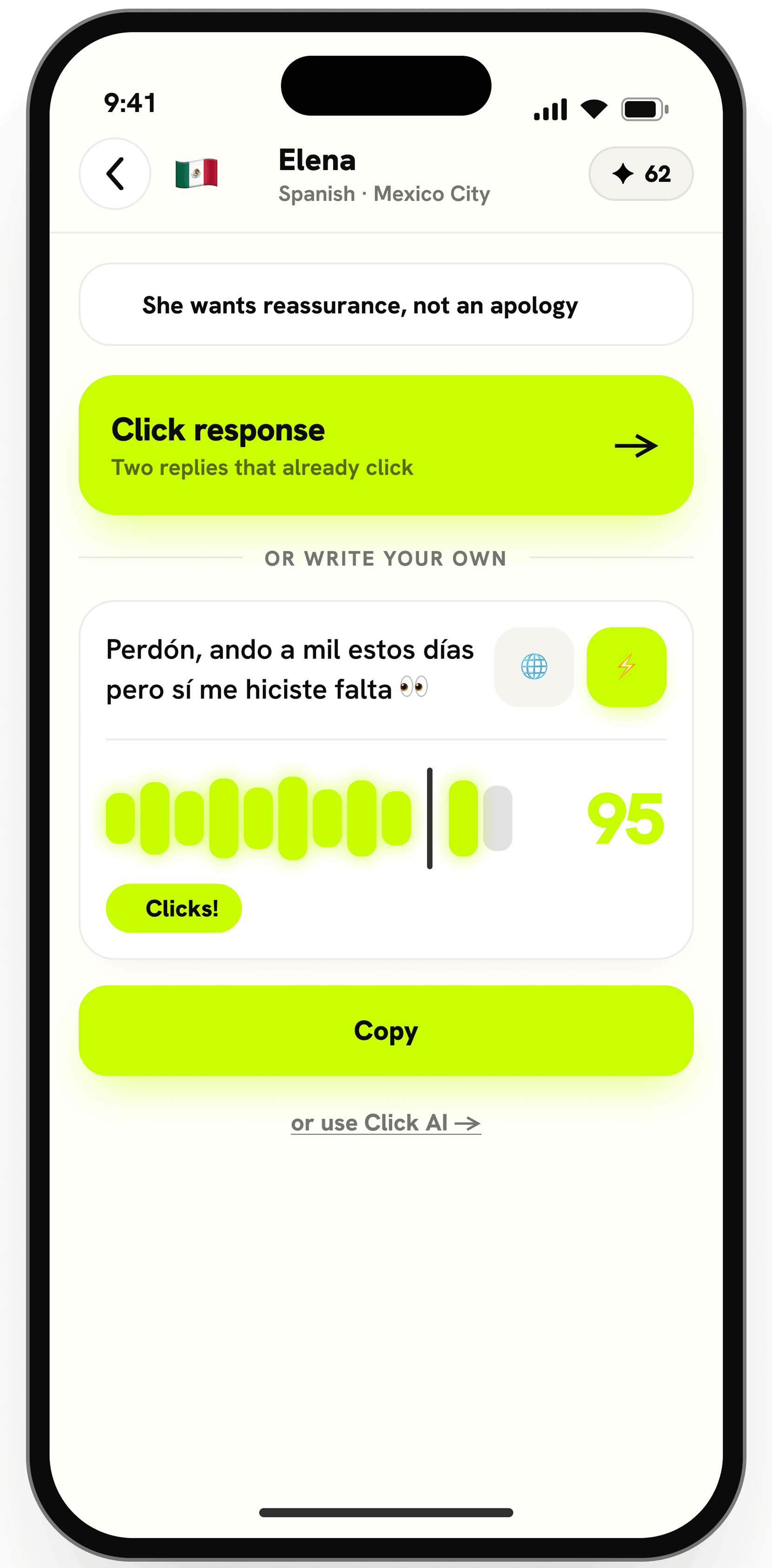
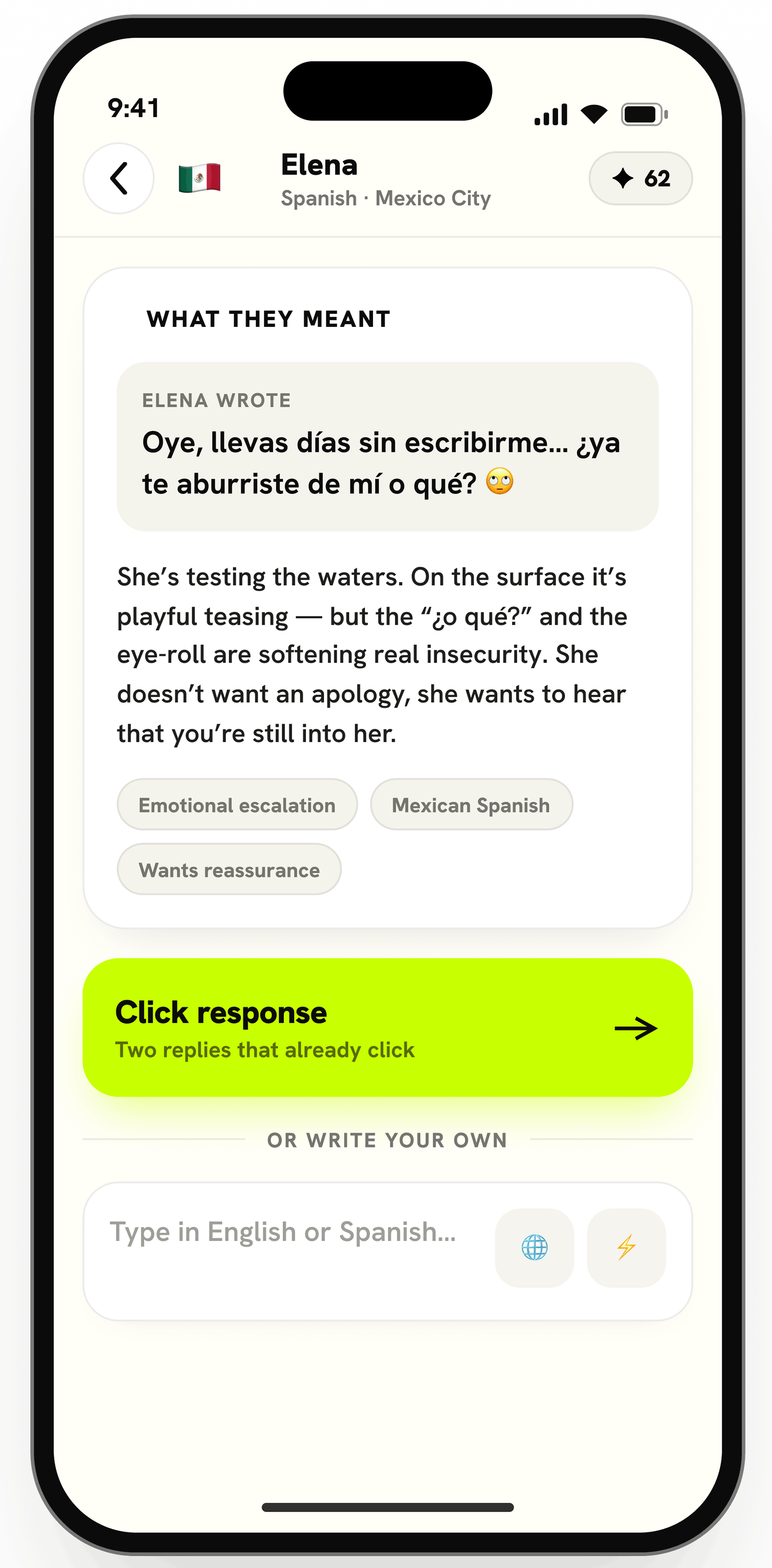
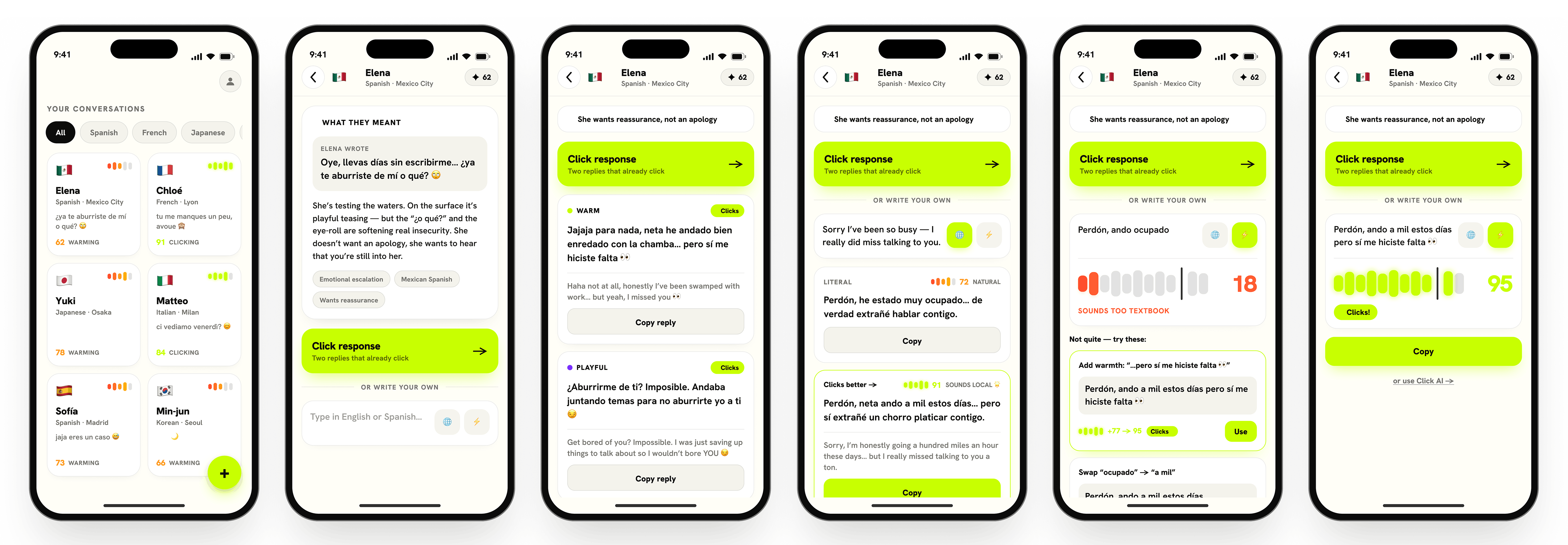
To help users communicate more confidently across languages, I designed an AI-powered conversation experience that goes beyond traditional translation. By combining contextual explanations, intelligent reply suggestions, and real-time writing feedback, Click AI enables users to understand messages, craft natural responses, and communicate with greater confidence.
To visualize the end-to-end user experience, I mapped the primary conversation flow from understanding an incoming message to sending a confident reply. The flow highlights how AI supports users at each step, making multilingual communication simple and intuitive.
DESIGN
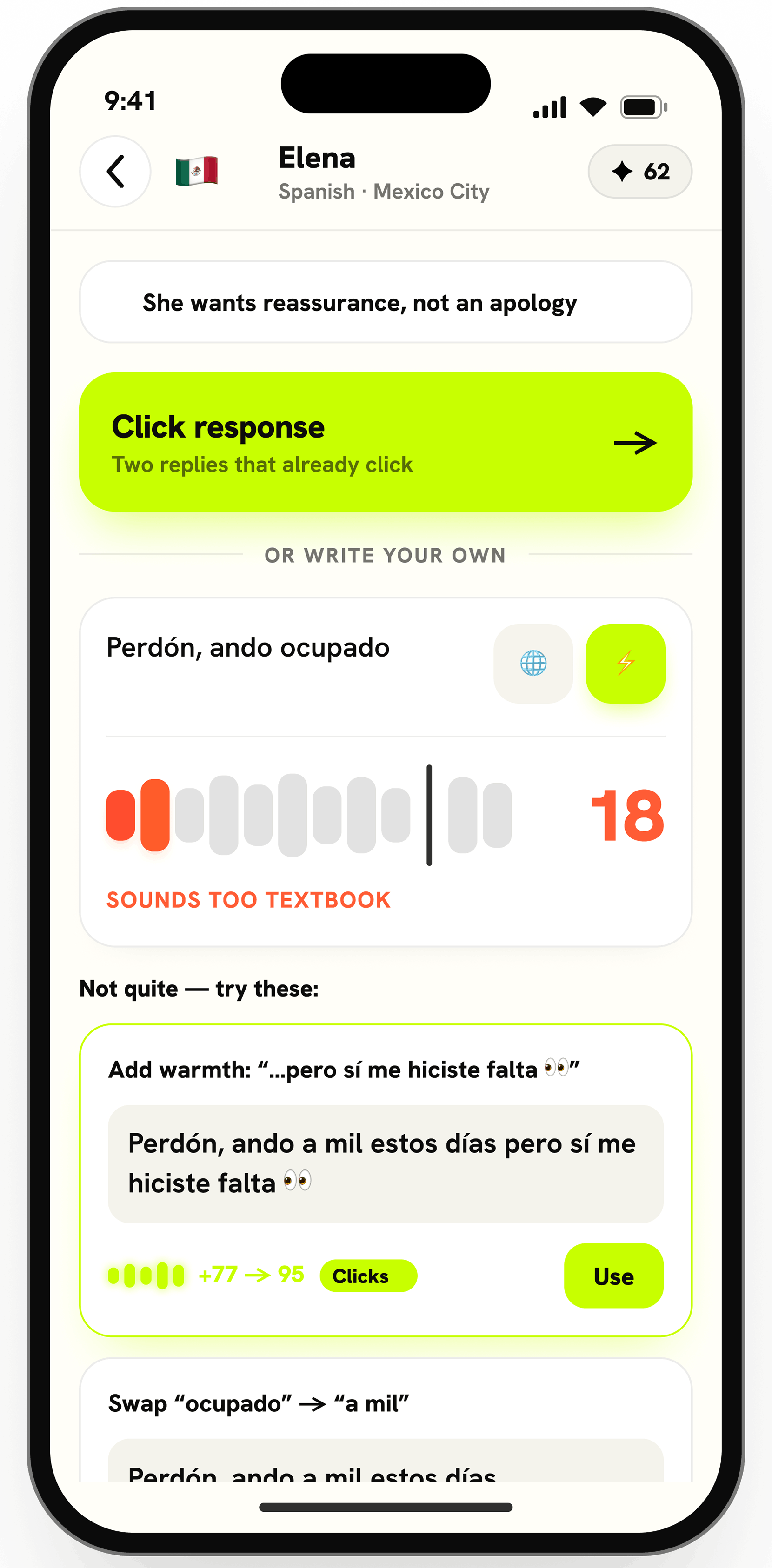
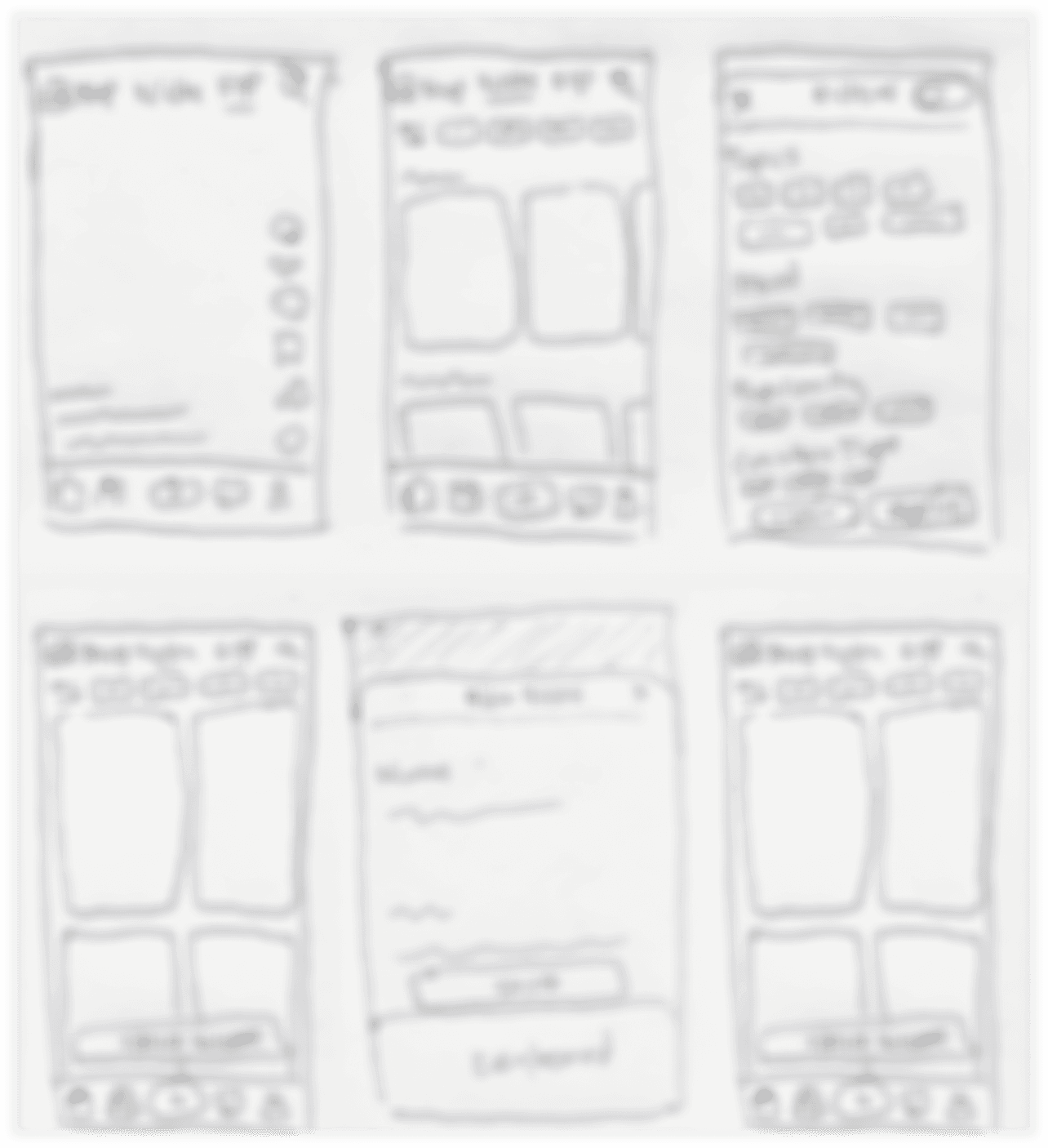
With the user flows defined, I created low-fidelity wireframes to map the conversation journey and AI interactions. I then transformed these concepts into high-fidelity mockups in Figma, refining the visual hierarchy, user experience, and interaction patterns while maintaining a clean, intuitive, and approachable interface.
TESTING & ITERATIONS
I created an interactive prototype of Click AI and conducted usability testing with five participants to evaluate how easily they could understand messages, generate replies, and improve their writing. Participants were asked to complete three tasks:
All participants completed the tasks successfully and appreciated the intuitive conversation flow and AI assistance. The testing also revealed a few opportunities to further improve the overall experience.
1
BEFORE

AFTER

2
BEFORE
AFTER

RESULTS
Click AI achieved an impressive 9.8/10 satisfaction score from all five participants. Users appreciated the AI-powered translations, natural reply suggestions, and writing feedback, which made multilingual communication feel more intuitive and confident. Several participants said they would use the app regularly for both personal and professional conversations.
Usability Test Feedback
FINAL THOUGHTS
What I Learned:Designing Click AI reinforced the importance of balancing advanced AI capabilities with usability. Intelligent features create value only when users can understand and trust them.
Next Steps:Future iterations could explore personalization, adaptive learning patterns, and conversation history insights to create a more tailored language learning experience.
What I'm Most Proud Of:I’m most proud of translating a complex AI workflow into a simple and intuitive experience that empowers users to communicate with confidence.